Calling Pix
Run the factory by voice. How to place a call, what you can ask, how starting and stopping work is confirmed, how Pix follows the sessions it starts, and what it remembers.
Pix is the factory’s coordinator, and you can call it. Ask how runs and sessions are going, start or stop a session on a Pix Sandbox or one of your own hosts, answer an agent’s question, or check spend, all by voice.
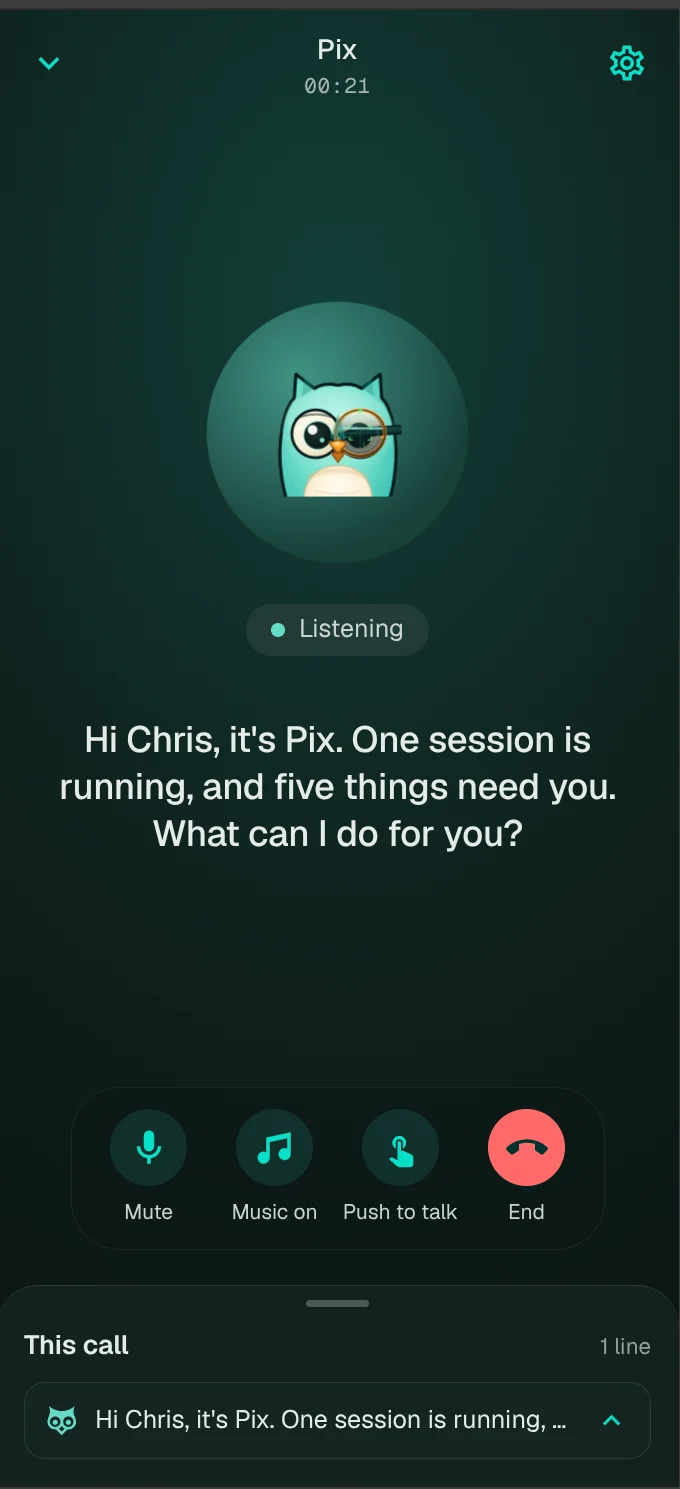
Placing a call
The phone icon in the console header opens /call. It shows once you have somewhere to run sessions: a Pix Sandbox, or a host that has run belai rc. On a phone, or from the installed app’s Call Pix shortcut, the call connects as the page opens where the browser lets audio play unasked (the installed app always does); elsewhere it waits for the green button. Tap the green button and talk.
/call is its own page. Moving into or out of it is always a full page load.
What you can ask
| You ask | Pix uses |
|---|---|
| How’s the factory doing? | factory_stats |
| What needs me? | needs_attention, oldest_checkpoints |
| What did I spend this month? | factory_spend |
| What did the factory save us? How many people would this take? | delivery_value |
| Is the review queue growing? | queue_flow |
| Where are agents getting stuck? | friction |
| How busy are my hosts? | host_workload, list_hosts |
| What’s happening on payments-api? | repo_activity |
| What runs failed today? | list_runs, run_facts |
| How did my sessions go this week? | sessions_aggregate, list_sessions, session_facts |
| Start a session to fix the flaky test on payments-api | find_repo, propose_session, start_session |
| Tell it to use plan mode | send_followup |
| Stop that session | propose_stop, stop_session |
Voice tools lists every tool. Pix can also look things up with the read-only Vulnetix tools.
Numbers only from your records
Every figure Pix says comes from a tool that read your factory’s records. It does not add figures up itself. A figure the factory has not recorded is said as “not recorded yet”, never zero. Estimates, such as what work would cost by hand, are called estimates and name the rate behind them. Long lists are spoken as three items “and four more”, and the whole table appears on screen.
Starting and stopping: the read-back
Reading is free. Anything that starts or stops work is two steps, enforced in code:
- Pix proposes it and reads it back: “Just to confirm: a session on vulnetix/website, on main, on your Pix Sandbox, to fix the login redirect. Shall I start it?”
- It acts only if your very next answer is a plain yes, within 2 minutes.
“Yes, but on main” is not a yes: it changes the request, so Pix proposes again. A proposal is used once. Up to 5 sessions can go in one read-back, and one yes starts them all. The read-back also appears on screen as a card with Start it and Change it buttons, which count as your reply.
Messages to a running agent are read back in conversation but not gated. You can answer an agent’s question by voice: a permission as allow once or deny, never allow always, or a clarifying answer.
Permission asks on sessions Pix starts
You are on the phone, not at the host, so a session started on a call runs with permission asks off: a tool call the rules would ask about is allowed instead of stalling. Guardrails still apply. If your organisation’s belai.ask_permission is on, the read-back says so and asks whether to start with asks off. On a running session, Pix can turn asks off (with a read-back) or back on (no read-back needed).
Naming a repository
Repository names come through speech recognition. Pix matches what you said against the repositories your hosts and sandboxes offer, allowing for spoken punctuation, spelled letters and words that sound alike, then confirms the match in the read-back.
Following sessions
Pix follows the sessions it started while the call is open, and speaks up when one asks a question or finishes (“Good news, your session just finished. It says: …”). The screen shows what it is waiting on. Hold music plays while Pix waits and is silent; you can turn it off.
Memory
Ask Pix to remember something, such as “always use plan mode on vdb-site”, and it keeps a note for future calls. The 15 most recent notes go into each call. Ask it to forget one and it reads the note back first. See Call history and memory.
Time and place
Pix uses your device’s timezone, so “today” and “this month” start at your midnight. If your device’s zone and your network location disagree, Pix does not assume where you are. Everything stored stays in UTC.
How Pix runs
A call is handled by a Cloudflare Durable Object. Your speech is transcribed, PixCommander, the coordinator, chooses the tools and the reply, and the reply is spoken back. PixCommander runs on Workers AI models that Vulnetix ranks and tunes, each with a reasoning effort of none, low or high; if the first is unavailable, the next is used. Model ids are never shown on a call, in history, or in logs: the coordinator is always called PixCommander. Whether a reply to a read-back is a yes is judged first by your organisation’s SystemOne decision model, then by PixCommander, then by fixed word rules.
What Pix will not do
- Act without a plain yes to its read-back.
- Hold standing permissions: every start and stop is confirmed on its own.
- Make up figures.
- Keep audio. Call history keeps the words and the cards on screen.